Convert Math to LaTeX in Seconds
Our AI-powered technology recognizes complex mathematical notation with unmatched accuracy, saving professors, researchers and students hours of manual LaTeX work
Handwritten Input
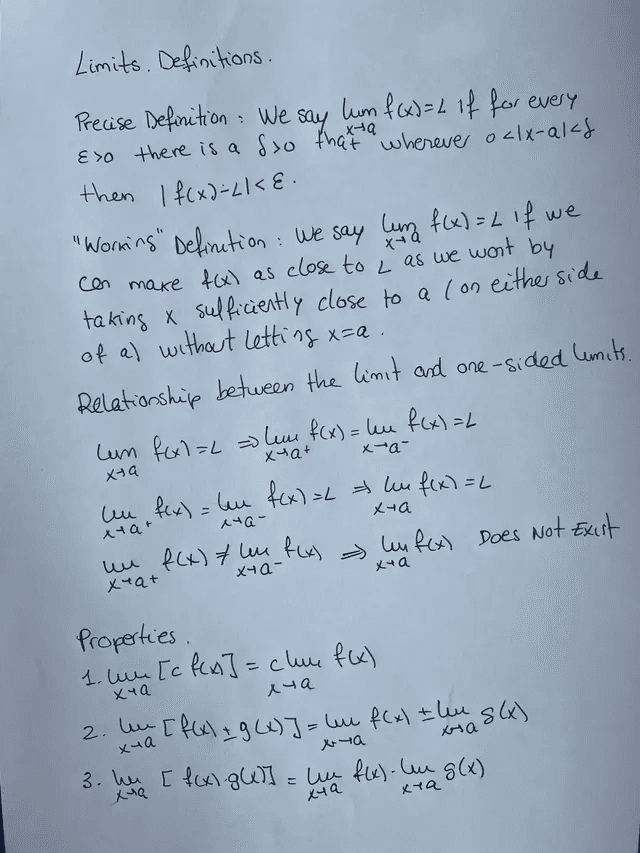
LaTeX Output
1\section*{Limits. Definitions}2 3\textbf{Precise Definition:} We say $\displaystyle\lim_{x\to a} f(x) = L$ if for every $\varepsilon > 0$ there is a $\delta > 0$ such that whenever $0 < |x-a| < \delta$ then $|f(x) - L| < \varepsilon$.4 5\subsection*{Relationship between the limit and one-sided limits}6\[7\lim_{x\to a} f(x) = L \;\Longrightarrow\; \lim_{x\to a^+} f(x) = \lim_{x\to a^-} f(x) = L8\]
- Overleaf
- Word
- Markdown
- Typst
- Beamer
Simple Process, Powerful Results
Turn your notes into LaTeX in a few steps, with professional results
1% Generated LaTeX Code2\documentclass{article}3\usepackage{amsmath, amssymb}4\begin{document}5\section{Introduction}6The fundamental theorem of calculus establishes the relationship between differentiation and integration.7\subsection{Statement}8If $f$ is continuous on $[a, b]$ and $F$ is defined by:9\begin{equation}10 F(x) = \int_{a}^{x} f(t) \, dt, \quad a \leq x \leq b11\end{equation}12Then $F$ is differentiable on $(a, b)$ and:13\begin{equation}14 F'(x) = f(x), \quad a \leq x \leq b15\end{equation}16\end{document}
Convert whole folders from your AI assistant
Connect MathWrite to Claude Code, Codex, Cursor or Claude Desktop. Ask it to turn your notes into LaTeX and it leaves the .tex and the compiled PDF of every file in the folder you choose.
- Claude Code
- Codex
- Cursor
- Claude Desktop
- 1
Create a key
In Settings › Connections, in one click.
- 2
Add the MCP to your client
One command: it asks for your key without showing it and adds MathWrite to Claude Code and Codex. For Claude Desktop or Cursor, a few lines in their config.
- 3
Ask in your own words
Which folders to convert and where to put the results. It takes care of the rest.
$ npx -y @mathwrite-app/mcp setup
● plan_conversion · 3 PDFs, 24 pages, 48 credits
● convert_files · converting in the background
● get_job_status
✓ tema1.pdf → tema1.tex · tema1.pdf
✓ tema2.pdf → tema2.tex · tema2.pdf
✓ examen-junio.pdf → examen-junio.tex · examen-junio.pdf
Done: 3 of 3 converted and compiled in ~/Notes/LaTeX.
Complete toolkit to refine your LaTeX code
A complete ecosystem of tools designed to optimize results.
Academic style
Format
Transform your LaTeX documents with professional and consistent formatting. Our automatic formatting tool adjusts line spacing, margins, and spacing following the most demanding academic standards. It includes automatic numbering of pages, sections, and references, ensuring an impeccable result ready for publication.
Transform Your Documents into Professional Presentations
Convert PDFs into high-quality mathematical presentations by selecting template, color palette, and length.
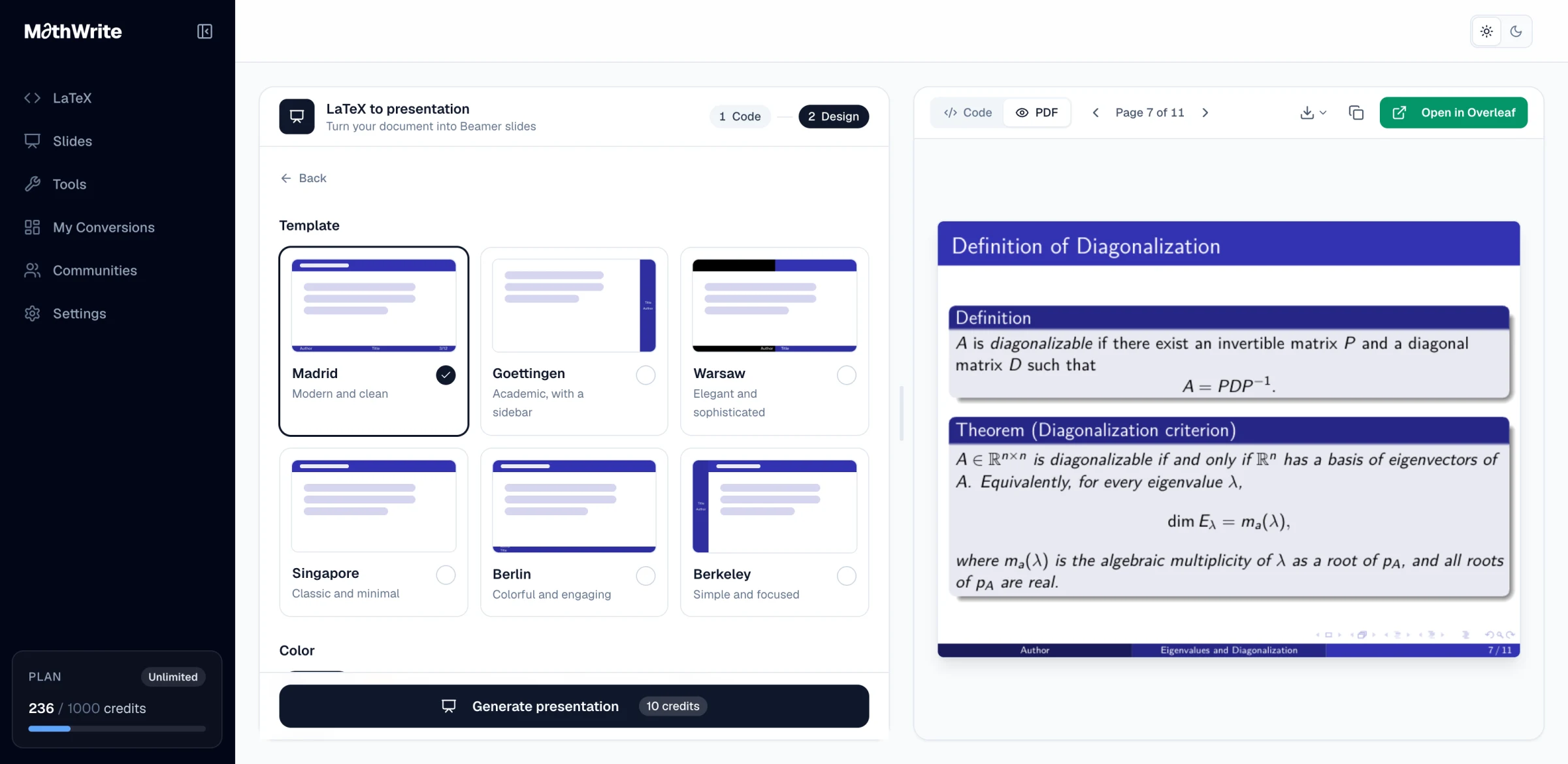
- 6 Beamer themes
- 5 color palettes
- From 5 to 30+ slides
- Open in Overleaf in one click
Loved by mathematicians everywhere
Join thousands of researchers, professors, and students who trust MathWrite for their mathematical writing needs
- Academics
- 30,000+
- Pages Converted
- 1M+
- Time Saved
- 90%
- Universities Worldwide
- 200+
I was thrilled to find out there was software that helps convert content to LaTeX. Constantly writing matrices is overwhelming... but MathWrite made it so much easier for me.
I frequently make worksheets, quizzes, and exams via LaTeX. I think this application would be a massive benefit to math educators everywhere around the world.
It looks absolutely amazing! I've already used it to prepare materials for an Analysis course and found it wonderful.
I teach math and physics at the high school level, and MathWrite greatly facilitates creating materials like worksheets for my students.
I've used MathWrite to convert PDFs from my Geometry class. It works perfectly! It's awesome.
My interest in MathWrite has been to digitize my own notes, since textbooks are often impersonal or incomplete. I'm loving it so far!
I found MathWrite while looking for ways to simplify the LaTeX writing process. I really appreciate how intuitive and useful it is, especially when working on long reports.
Frequently Asked Questions
Still have questions? We're here to help!