Hello everyone, this is Andrés, founder of MathWrite.
Today I want to present to you in detail the most recent features that I have incorporated into the platform. Some of these functionalities have been requested by many of you and others I hope will positively surprise you.
Create, Edit and Compile
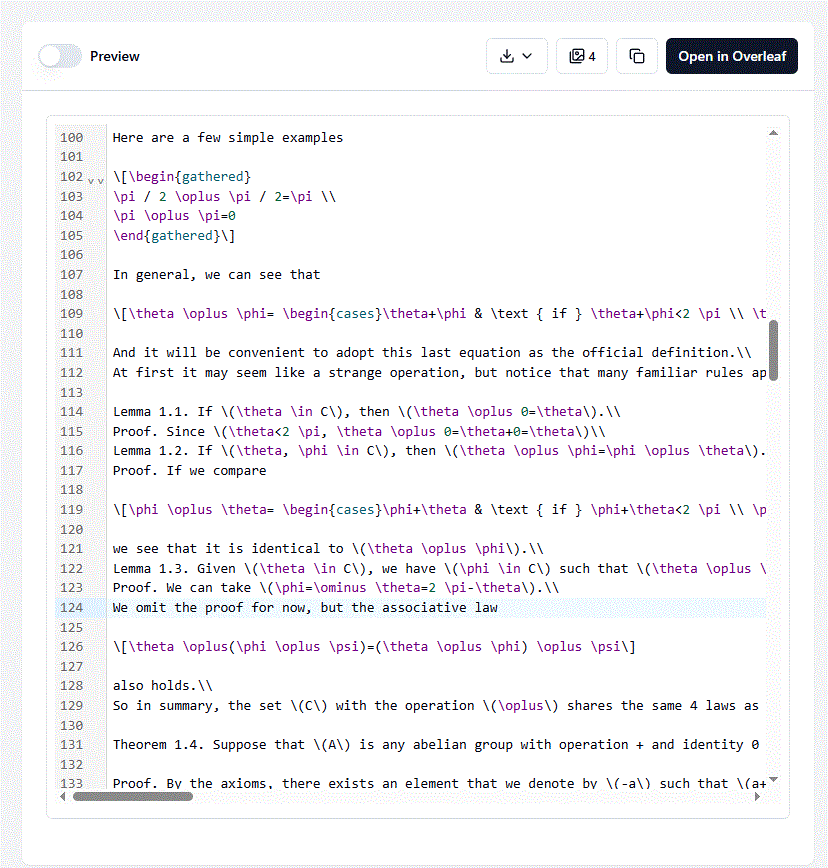
From now on, every time you perform a conversion in MathWrite, you will be able to:
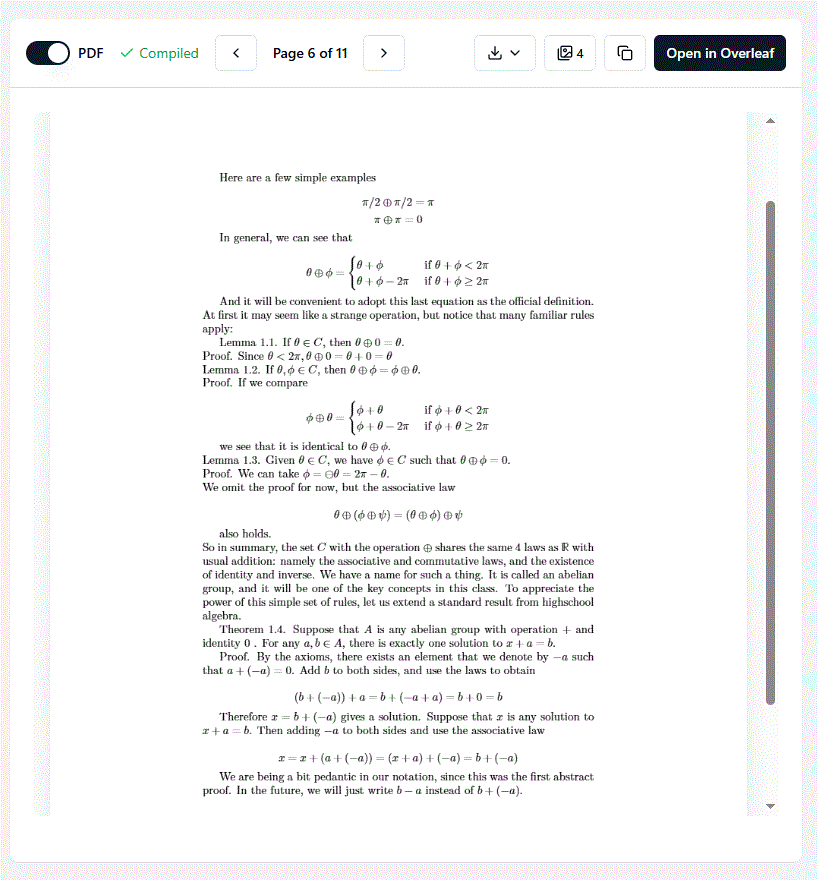
- View the already compiled LaTeX code, with direct option to download the PDF.
- Edit the code in an integrated professional editor, ideal for modifying content or customizing the document.
- In case compilation fails, the preview available until now in MathWrite will still be available.
With these improvements, the goal is to make MathWrite a more autonomous tool, capable of covering the complete workflow: conversion, editing and document export.
Turbo and Professional Model
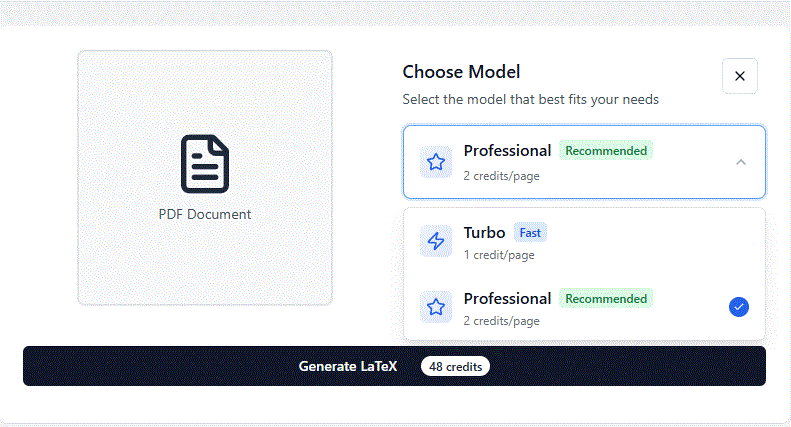
Before performing a document conversion, you will be able to choose between two processing modes:
Turbo Model
Up to 10 times faster than MathWrite's current processing.
Recommended exclusively for documents already compiled in LaTeX.
Ideal for converting PDFs of dozens of pages in seconds and more cheaply.
Check the new credit model: here
Professional Model
MathWrite's traditional model, with improvements in accuracy and speed.
Recommended for complex conversions, with handwritten mathematics or unclear documents.
Presentations
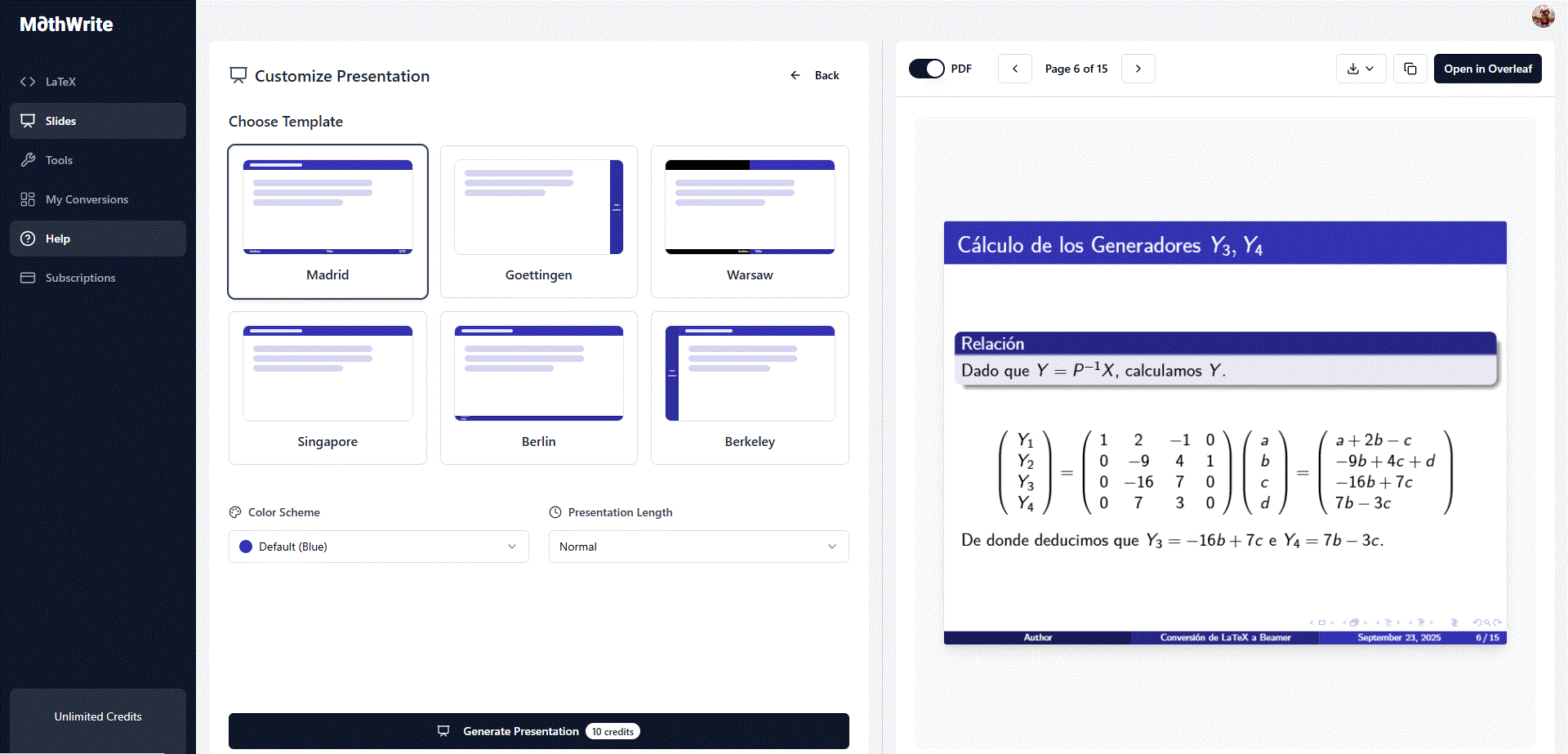
It is now possible to convert any document into a professional presentation in a matter of seconds. You will be able to choose between different types of templates, styles and extensions.
Thanks to the Turbo model, the conversion of extensive documents (such as notes of 50 or more pages) to LaTeX for subsequent transformation to presentation is now done in less than a minute.
Tools
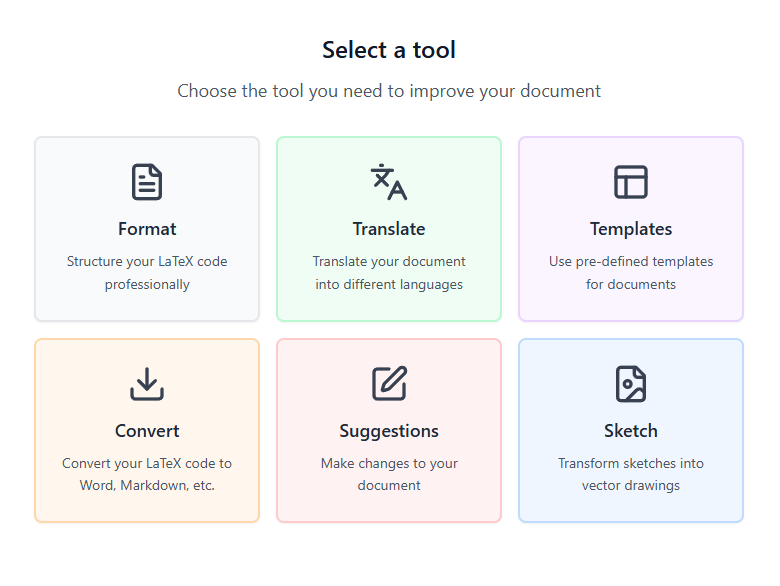
After each conversion, you will have access to a set of tools to improve, adapt or transform the LaTeX document:
Format
Adjust line spacing, font size, margins, text alignment...
Translate
Instant translation of the document to multiple languages.
Templates
Apply predefined templates (double column, article style, academic report...).
Convert
Export the document to formats like .docx, .odt, among others.
Suggestions
Refined functionality. Allows modifying code blocks with user suggestions.
Sketch
The most innovative! Convert hand-drawn sketches and drawings into professional graphics ready to insert in LaTeX.
My Conversions
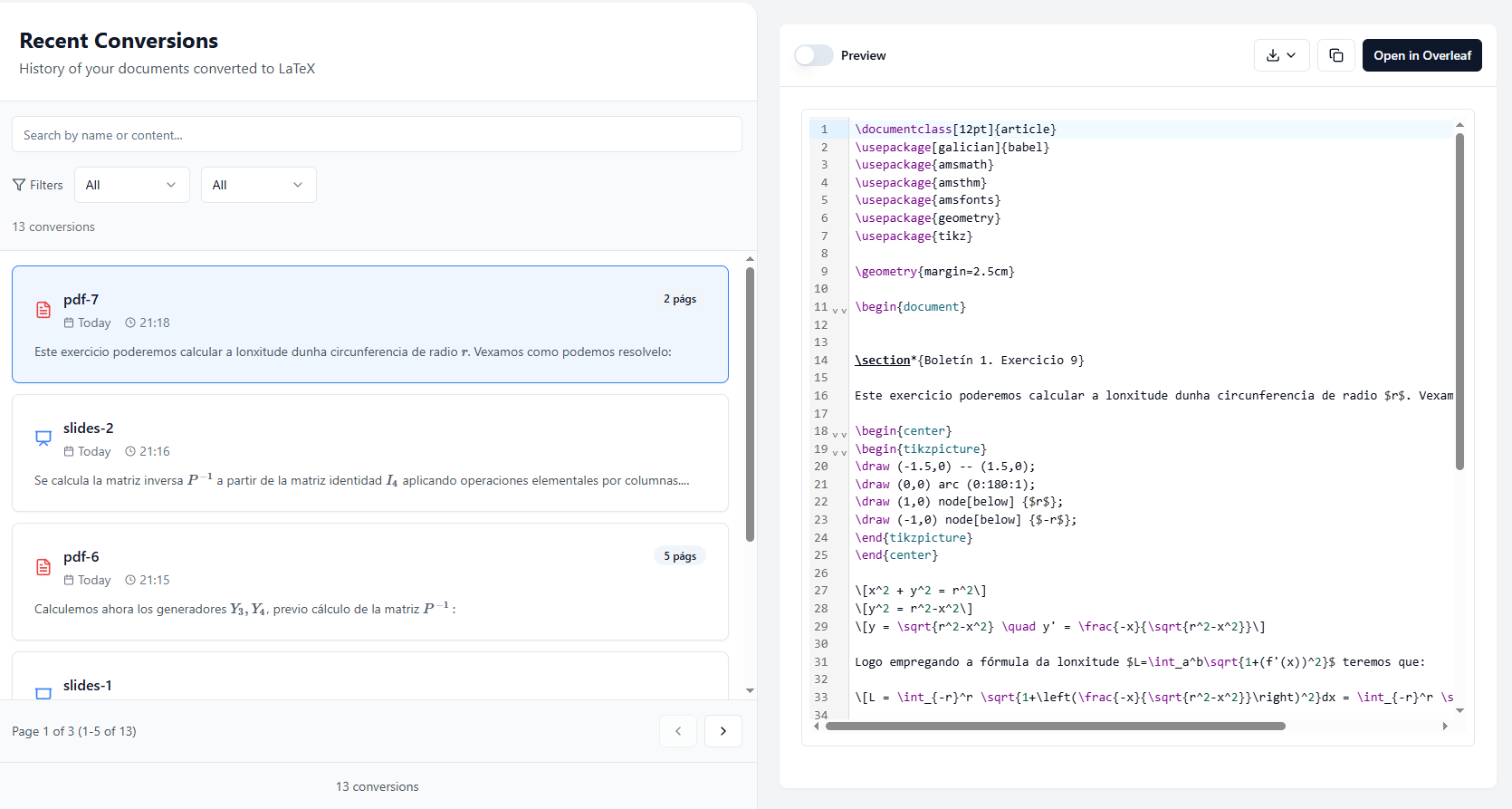
Now all your conversions, presentations and applied tools will be automatically saved.
You will be able to access them at any time from the "My conversions" section, which makes it easier to continue projects or review previous work without losing information.
Farewell
With these new functionalities, I seek to turn MathWrite into an increasingly complete and autonomous tool, as well as consolidate it as one of the reference tools in the sector.
Finally, I would like to thank the thousands of people who continue to follow the project closely. Several months have passed since the first version of MathWrite and I find it hard to believe what it is becoming. I love seeing how something that started to solve a problem I had when entering university can now help other people.
I encourage you all to try these new features and share your impressions to continue improving.
See you around.
Andrés Leyenda
Founder of MathWrite